URL IN → VIDEO OUT
203 Sarina Lane · San Marcos
An AI-generated property marketing example. Compare the output with the source listing.
View the Zillow source listing ↗Watch / share on YouTube ↗REAL LISTINGS. REAL OUTPUTS.
Compare our latest California videos and Gary’s Singapore pilot with their original listings. Explore more US examples below.
URL IN → VIDEO OUT
An AI-generated property marketing example. Compare the output with the source listing.
View the Zillow source listing ↗Watch / share on YouTube ↗URL IN → VIDEO OUT
An AI-generated property marketing example. Compare the output with the source listing.
View the Zillow source listing ↗Watch / share on YouTube ↗URL IN → VIDEO OUT
An AI-generated property marketing example. Compare the output with the source listing.
View the Zillow source listing ↗Watch / share on YouTube ↗URL IN → VIDEO OUT
An AI-generated property marketing example. Compare the output with the source listing.
View the Zillow source listing ↗Watch / share on YouTube ↗URL IN → VIDEO OUT
An AI-generated property marketing example. Compare the output with the source listing.
View the Zillow source listing ↗Watch / share on YouTube ↗URL IN → VIDEO OUT
One Shenton, presented with Gary’s AI likeness and voice using an established presenter setup.
View the One Shenton source listing ↗Watch / share on YouTube ↗URL IN → VIDEO OUT
An AI-generated property marketing example. Compare the output with the source listing.
View the Zillow source listing ↗Watch / share on YouTube ↗URL IN → VIDEO OUT
An AI-generated property marketing example. Compare the output with the source listing.
View the Zillow source listing ↗Watch / share on YouTube ↗URL IN → VIDEO OUT
An AI-generated property marketing example. Compare the output with the source listing.
View the Zillow source listing ↗Watch / share on YouTube ↗URL IN → VIDEO OUT
An AI-generated property marketing example. Compare the output with the source listing.
View the Zillow source listing ↗Watch / share on YouTube ↗AI-generated examples. Results depend on source materials and the selected workflow. Gary’s pilot used an existing presenter setup; new face and voice setup is a separate step.
HOMEDASH.AI
Explore the September 2026 workflow design: video ideas, property input, scene review, editing and output. English or Traditional Chinese guidance with Chinese UI. Silent design walkthrough with illustrative media; the installed app may differ.
HOMEDASH.AI
A simple workflow, with you in control of the final result.
Start with property photos and the details you are authorised to use.
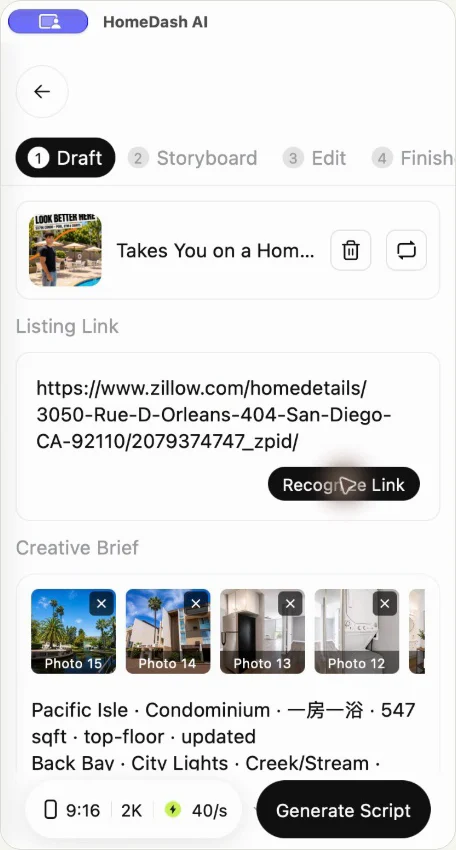
Choose a suitable format, add your brand and review the script.
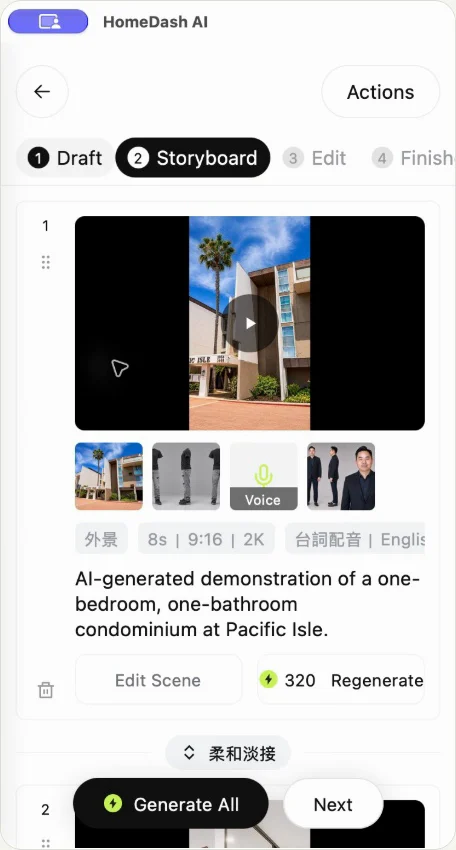
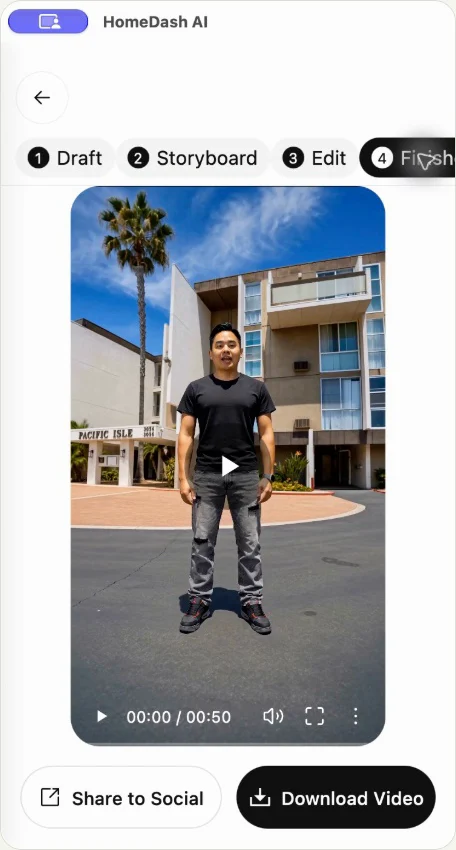
Check property facts, visuals and pronunciation before publishing.
HOMEDASH.AI
Create in the app, or talk to us about production for your team and clients.

Create on iOS or Android. Your store confirms availability, device requirements and current in-app purchases.